
Salesforce runs at the center of most GTM stacks. But being the system of record doesn't mean it has all the answers.
Sales reps spend 60% of their time on non-selling tasks, according to Salesforce's State of Sales report. That time disappears into administrative overhead, context-switching, and hunting for information that should already be there. Meanwhile, the average enterprise manages 897 applications, and only 29% of those are connected, meaning the data reps need lives in systems that don't talk to each other, according to MuleSoft's 2025 Connectivity Benchmark.
More tools haven't meant more clarity. They've meant more tabs, more manual updates, and more opportunities slipping through the gaps.
This article covers what Salesforce CRM integration actually means, the methods available, how to choose the right approach, and the often-overlooked step of keeping your data accurate after you connect. But the real point isn't just connectivity. It's what a connected CRM makes possible: turning buyer signals into pipeline.
Key Takeaways
- Salesforce CRM integration connects your CRM to other apps and data sources so records and workflows sync automatically in both directions.
- Data silos remain the norm: 90% of organizations report business obstacles caused by disconnected systems.
- The three integration methods (native connectors, middleware, custom API) each suit different use cases, and the right choice depends on your stack, data volume, and team resources.
- Data quality is the make-or-break factor: integration exposes duplicates and stale records, and without continuous hygiene, your CRM drifts from reality.
- The payoff isn't just reduced admin, it's the ability to surface buyer signals inside Salesforce and convert them into pipeline.
What Is A Salesforce CRM Integration?
Salesforce CRM integration is the process of connecting Salesforce to other applications and data sources so that data and workflows sync automatically—both into and out of the CRM.
At its simplest, integration means records stay consistent across systems without manual re-entry. A lead captured in your marketing automation platform appears in Salesforce. An activity logged by your sales engagement tool shows up on the contact record. Changes in one system propagate to the other.
There are a few ways to make these connections happen:
- Native connectors: prebuilt integrations from Salesforce's AppExchange or from the vendor itself
- Middleware and iPaaS: platforms like MuleSoft, Workato, or Zapier that orchestrate data flows between systems without custom code
- Custom API and ETL: direct integration using Salesforce's REST or SOAP APIs, or extract-transform-load pipelines for data warehouse syncs
Each method has trade-offs in speed, flexibility, and maintenance burden.
One distinction worth noting: bi-directional sync versus one-way sync. Bi-directional integration keeps both systems updated in real time (or near-real time), so changes made in Salesforce push back to the source system. One-way sync moves data in a single direction, which is simpler but creates the risk of records drifting apart.
Salesforce holds the #1 position in CRM market share—20.7% globally in 2024, according to IDC—which explains why it functions as the hub for most GTM stacks. The question isn't whether to integrate. It's how to integrate in a way that turns connected systems into something more than tidy records.
Why Salesforce CRM Integration Matters
Integration sounds like plumbing. It's not. The state of your integrations shapes how your team sells, how your AI performs, and whether your pipeline grows or stagnates.
Data Silos Are The Default
Most organizations think they're more connected than they are. MuleSoft's 2025 Connectivity Benchmark found that only 2% of organizations have more than half their applications connected. Ninety percent report business obstacles caused by data silos. Missed handoffs, inconsistent records, decisions made on partial information.
When Salesforce can't see what's happening in your product, your community, or your marketing channels, reps operate with an incomplete picture. They don't know which accounts are heating up. They can't tell who just started a free trial or who's been reading your comparison pages. They're working from a CRM that shows where a deal is, but not why it should move.
The Cost Of Disconnection
Bad data isn't just inconvenient. It's expensive. According to Gartner's 2020 research, poor data quality costs organizations at least $12.9 million per year on average. And CRM data decay hits the top line: 44% of companies report losing more than 10% of annual revenue to it, according to a Validity survey—driven by job changes, company moves, and the natural churn of business.
The median U.S. private-sector employee tenure is 3.5 years, according to the Bureau of Labor Statistics. That means your CRM contacts are constantly going stale, even if nobody changes anything.
And the productivity tax compounds. Reps use an average of eight tools to close a deal, according to Salesforce's State of Sales. Half of sellers feel overwhelmed by the amount of technology they're expected to use, and overwhelmed sellers are 45% less likely to hit quota, according to a 2024 Gartner survey. More tools haven't fixed the problem, they've added to it.
AI Won't Save You If Your Data Can't Support It
The AI question makes integration more urgent. According to MuleSoft's 2025 report, 95% of organizations face challenges integrating AI, and 80% cite data integration as the biggest obstacle. AI models trained on fragmented, incomplete CRM data produce outputs that look confident but miss the mark. They suggest accounts that aren't relevant. They surface contacts who left months ago.
AI built on a partial view isn't intelligence. It's expensive noise. The organizations that get value from AI will be the ones whose data is unified, resolved to real people, and continuously maintained.
The Main Types Of Salesforce Integrations
Not all integrations serve the same purpose. Here's how the categories break down.
Marketing And Demand Integrations
These connect your marketing automation platform—Pardot, Marketo, HubSpot—to Salesforce so leads, campaign data, and attribution flow into the CRM. When marketing captures a lead, it appears in Salesforce. When a contact engages with a campaign, that activity shows up on the record.
The goal is visibility: making sure sales knows what marketing has done and can see which accounts are engaging before a hand-raise.
Sales Engagement And Communication
These integrations sync activity from sales engagement platforms like Outreach and Salesloft, dialers, email, Slack, and scheduling tools. When a rep sends an email or logs a call, it shows up in Salesforce without manual entry.
The goal is completeness: keeping the CRM as the source of truth for all customer touchpoints, not just the ones reps remember to log.
Data, Enrichment, And Signal Integrations
This is the category most GTM teams underinvest in. These integrations pull in enrichment data (firmographics, technographics, contact details), intent signals (G2 activity, content downloads, website visits), product usage data, and community or social engagement.
They connect Salesforce to data warehouses like Snowflake, Redshift, or BigQuery, and to signal sources that reveal who's in-market before they fill out a form.
The goal is intelligence: making records complete and current, and surfacing buying signals that Salesforce can't see on its own.
Service And Systems Of Record
These integrations connect support platforms, ERPs, and finance systems to Salesforce. They're essential for companies where customer success, support, and sales share accounts, or where billing and contract data need to live alongside sales records.
The goal is a full customer view: one record that spans the entire lifecycle.
How To Integrate With Salesforce: 3 Methods
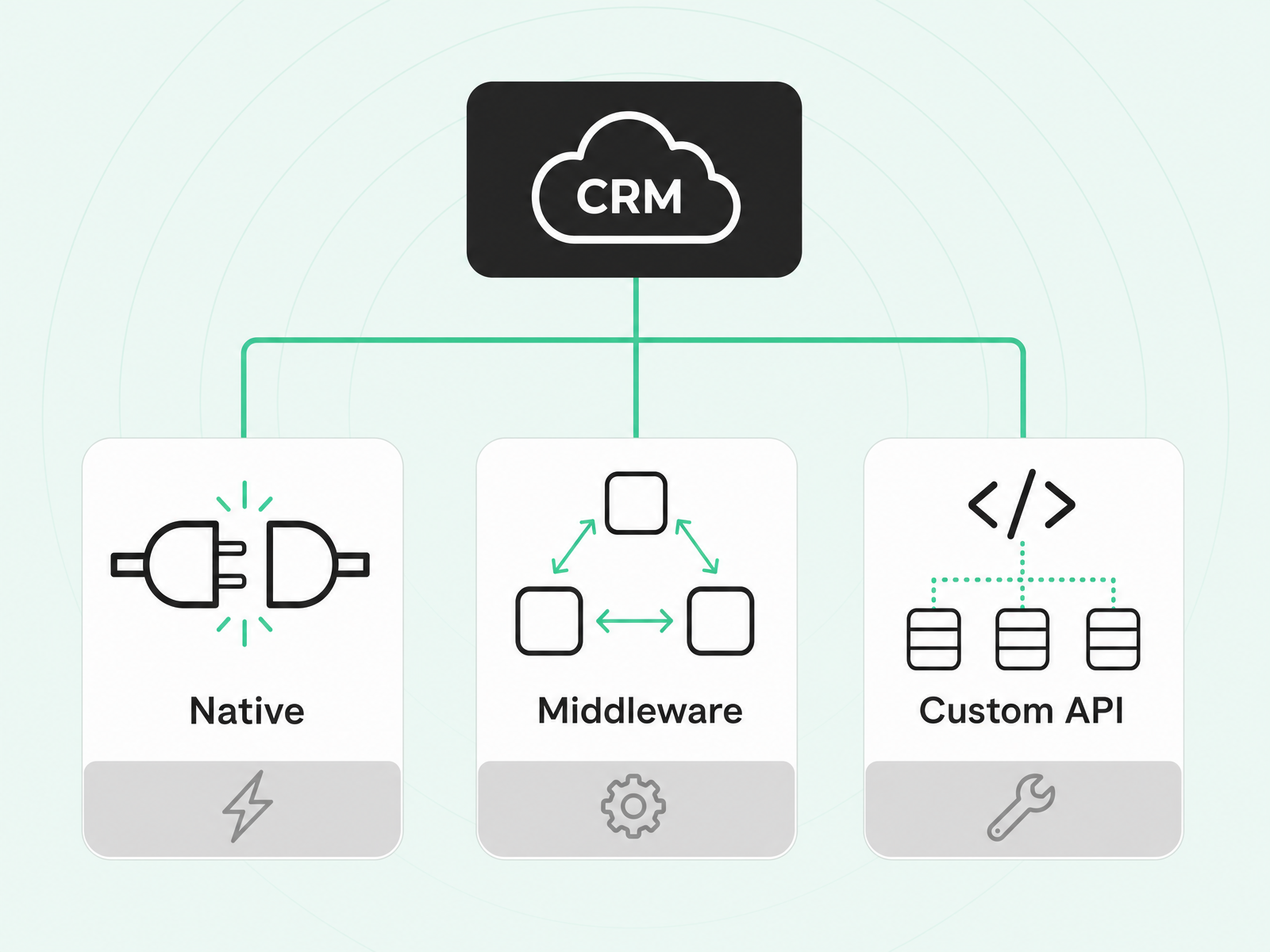
The right method depends on what you're connecting, how much data you're moving, and who's maintaining the integration.
Native Connectors (AppExchange)
Native connectors are prebuilt integrations available on Salesforce's AppExchange or directly from the vendor. They're the fastest path to production. Install, authenticate, configure, and data starts flowing.
Use them when: a well-maintained connector exists for the system you're connecting, data volumes are moderate, and you don't need heavy customization.
Trade-offs: You're limited to what the connector supports. If you need custom field mappings or complex logic, you'll hit walls.
Middleware And iPaaS
Middleware platforms like MuleSoft, Workato, and Zapier sit between systems and orchestrate data flows without custom code. They're designed for connecting systems that don't have native Salesforce integrations, or for building more complex, multi-step workflows.
Salesforce's own API-led connectivity framework (System, Process, and Experience APIs) fits here: it's a tiered approach that separates raw data access from business logic from user-facing integrations, making it easier to scale.
Use them when: you need to connect multiple systems, the integrations require transformation or orchestration, or you want a single platform to manage all your data flows.
Trade-offs: Middleware adds a dependency and a cost. You're maintaining the platform, not just the integration.
Custom API And ETL
Direct integration using Salesforce's REST or SOAP APIs gives you the most control. You can build exactly what you need, map any field, and handle complex logic. ETL (extract, transform, load) and ELT pipelines work similarly for data warehouse syncs—pulling data from Salesforce into Snowflake, BigQuery, or Redshift for analysis and pushing aggregated results back.
Use them when: you have developer resources, need maximum flexibility, or are moving large data volumes that prebuilt tools can't handle.
Trade-offs: Custom integrations require ongoing maintenance. When Salesforce updates its API, someone has to update your code.
How To Choose The Right Salesforce Integration
Start from the outcome, not the tool.
What pipeline or workflow problem are you solving? Are reps missing context on engaged accounts? Is marketing unable to see what sales is doing with leads? Are records incomplete because enrichment data lives outside the CRM?
Once you know the problem, evaluate options against these criteria:
- Data flow direction: Do you need bi-directional sync, or is one-way sufficient? Who owns the source of truth for each field?
- Overwrite control: What happens when records conflict? Can you set rules for which system wins?
- Freshness: How often does the data need to update? Real-time, hourly, daily?
- Maintenance: Who keeps the integration running? A native connector maintained by the vendor is less lift than a custom API integration your team owns.
- Scalability: Will this hold up as your data volume grows?
- Stack fit: Does this add another tool to manage, or does it consolidate complexity?
The trap to avoid: assuming more integrations equal better outcomes. Tool sprawl correlates with seller overwhelm, and overwhelmed sellers underperform. GTM teams don't need more connections. They need the right connections, set up to turn data into action.
Keep Your Salesforce Data Accurate After Integration
Integration exposes the data problem. The first sync often surfaces duplicates, stale job titles, contacts who left years ago, and accounts assigned to reps who no longer work at your company.
This isn't a failure of the integration. It's reality becoming visible.
The real challenge is what happens next. Records don't stay accurate on their own. Contacts change jobs. Companies get acquired. New stakeholders enter deals. A one-time cleanup isn't enough—the decay starts immediately.
Best Practices For Ongoing Data Hygiene
- Audit before you connect. Identify duplicates, stale records, and field inconsistencies before the first sync. Integration amplifies whatever's already in your CRM.
- Set matching rules. Use email for contact matching and domain for account matching. Define what happens when a new record matches an existing one.
- Control overwrite settings. Decide which system wins for each field. Don't let an enrichment tool overwrite a rep's carefully researched account notes.
- Prioritize continuous hygiene over quarterly cleanups. The data decays constantly. Your maintenance should too.
Data Quality And AI Readiness
If you're planning to deploy AI agents—and 94% of IT decision-makers plan to within two years, according to MuleSoft—the stakes are higher. AI agents can only act on complete, trusted, person-level data. Feed them duplicates and stale contacts, and they'll automate bad decisions at scale.
The teams that get value from AI won't be the ones with the best models. They'll be the ones whose CRM reflects reality.
Turn A Connected Salesforce Into Pipeline With Buyer Signals
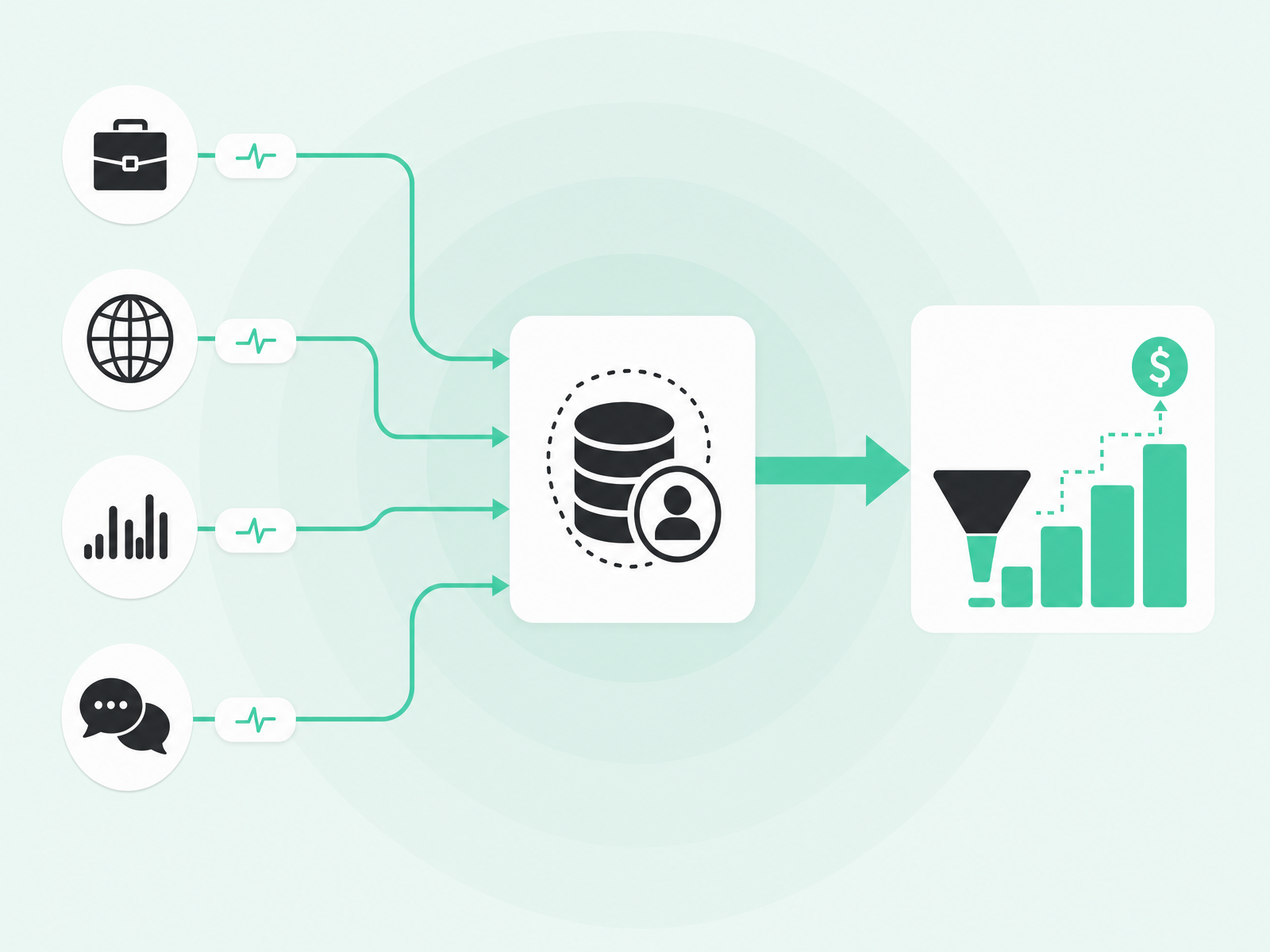
Syncing tools reduces admin. That's valuable. But the real payoff from integration is turning a connected CRM into a pipeline engine.
Salesforce can't see most of the signals that indicate a buyer is in-market. Job changes, website visits, product usage spikes, community engagement, social activity, G2 comparisons—these happen outside the CRM. Without integration, reps miss the signal entirely or find out weeks later when the deal is already lost.
The difference matters. According to The Starr Conspiracy's 2025 B2B Intent Data Benchmarks, intent-prioritized accounts converted at 21.3% compared to 8.4% for non-prioritized accounts—roughly 2.5 times the conversion rate. Signal-driven outreach outperforms spray-and-pray because it reaches people who are already researching, already considering, already ready to have a conversation.
This is where Common Room fits.
Common Room's native Salesforce integration is bi-directional and included on all plans. Inbound, it pulls lead status, lifecycle stage, and ownership from Salesforce. Outbound, it pushes signal activity, qualification status, and engagement context onto Leads, Contacts, and Accounts—so reps see who's engaged directly inside the CRM they already live in.
Person360, Common Room's identity resolution engine, stitches together anonymous and known activity across channels to build complete profiles of every prospect. Context360 unifies enrichment, identity resolution, and signal data into a continuously updated, person-level view built for AI consumption. DataAgent keeps your CRM aligned with reality by maintaining record accuracy over time.
The platform aggregates signals from more than 50 sources—job changes, website visits, product usage, community activity, social engagement, G2, and more—and surfaces them where reps can act. The Revenue Control Plane gives revenue architects the ability to define scoring models, build plays, and govern how AI agents execute across the team.
Companies like Atlassian, Anthropic, Okta, and Snowflake use Common Room to identify net-new pipeline, accelerate deals, and improve conversion across the funnel.
The goal isn't more data in Salesforce. It's turning connected data into revenue.
Frequently Asked Questions
What Is Salesforce CRM Integration?
Salesforce CRM integration connects Salesforce to other applications so data and workflows sync automatically in both directions, keeping records consistent without manual re-entry.
What Are The Best Tools To Integrate With Salesforce?
The best integrations depend on your GTM motion—marketing automation for demand capture, sales engagement for activity logging, and signal or enrichment platforms to surface who's actually in-market.
How Do I Integrate A Tool With Salesforce?
Start by checking if a native connector exists on AppExchange. If not, use middleware like MuleSoft or Workato, or build a custom integration with Salesforce's REST API if you need full control.
Will A Salesforce Integration Overwrite My Existing Data?
Most integrations let you configure overwrite settings—you decide which system wins for each field. Set matching rules and overwrite permissions before syncing to avoid unwanted changes.
How Long Does A Salesforce Integration Take?
Native connectors can be live in hours. Middleware-based integrations typically take days to weeks, while custom API projects vary with scope and available developer resources.
Ready to turn your connected Salesforce into pipeline? Request a demo.