
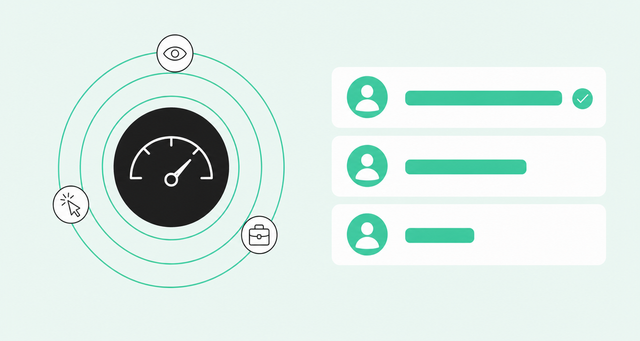
Your top lead of the week just booked a meeting. The score says "Excellent." The rep shows up prepared, and the buyer turns out to be a grad student who downloaded an ebook for a class project.
Now the rep doesn't trust the next "Excellent" either. So they re-qualify every lead on the first call, because they can't see why any score is high. That's an expensive habit when, according to Salesforce State of Sales, the average seller spends 40% of their time selling.
This guide covers the best lead scoring software for B2B sales teams and the criteria that separate useful scores from noisy ones. It also includes a rollout plan you can run this quarter. It's written for RevOps and sales leaders who own the score and have to explain it.
What Lead Scoring Software Does
The best lead scoring software ranks people and accounts by ideal customer profile (ICP) fit and readiness to buy now. That way, reps know exactly who to work first.
Every score rests on two ideas. Fit is how closely someone matches your ICP, the description of the companies and roles that tend to buy and stay. Intent is how much buying behavior someone shows right now, like pricing page visits, product usage, or a new job at a high-fit company.
Here's the part vendors rarely say out loud: Scoring doesn't add a single new name to your CRM. It sorts the names you already have. If your real problem is finding people, you're shopping for B2B lead intelligence software, which is a different job.
Sorting matters more now that buyers stay quiet longer. The Gartner rep-free buyer survey found that 67% of B2B buyers state that they prefer a rep-free experience. When buyers won't raise their hands, your score has to notice what they do instead.
Lead scoring tools often get confused with two neighboring jobs. Here's how they differ:
- Scoring: It ranks people and accounts by fit and intent, so reps know where to start.
- Qualification: It confirms real need, budget, and timing, usually in a conversation. Lead qualification software supports this step.
- Routing: It sends a scored lead to the right rep or queue based on rules like territory or segment.
Rules-Based vs. AI Lead Scoring
Lead scoring tools run on one of three models. Rules-based scoring adds points for actions you choose, like 10 points for a demo request. Predictive scoring, often called AI lead scoring, learns from your closed-won and closed-lost deals (the deals you won and lost) to find patterns people miss.
AI is already standard equipment on most sales teams. The same Salesforce research found 87% of sales organizations currently use some form of AI for tasks like prospecting, forecasting, lead scoring, or drafting emails. The open question is which kind your reps will believe.
| Model | How it works | Data it needs | Main tradeoff |
|---|---|---|---|
Rules-based | Your team assigns points to traits and actions | Very little history, mostly your team's assumptions | Easy to explain, but it encodes guesses until you test them |
Predictive (AI) | A model learns which traits and behaviors came before won deals | A healthy volume of won and lost deals | Finds hidden patterns, but often can't explain a single score |
Signal-based hybrid | AI combines many signals, and admins adjust the weights | Connected signal sources plus CRM outcomes | Takes setup across sources, but stays explainable and editable |
Here's what most comparisons skip. The split that decides whether reps trust a score is black box versus explainable. A rules model nobody remembers building is just as opaque as any neural network.
Account-Level vs. Contact-Level Scoring
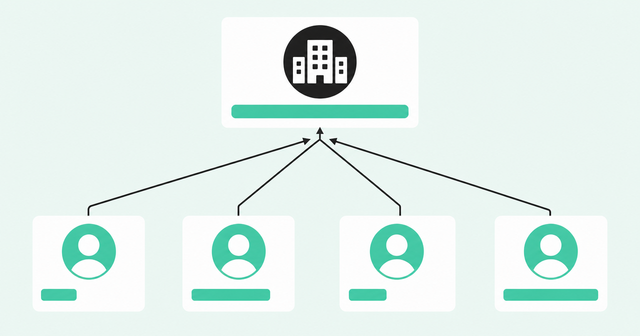
Contact-level scoring rates one person at a time. Account-level scoring rates the whole company. In B2B, neither works alone, because one person rarely buys anything by themselves.
The Forrester State of Business Buying report found that the typical buying decision now includes 13 internal stakeholders and nine external influencers. A single contact score can't see that a champion, a finance lead, and two engineers from the same company all showed up this week.
The fix is person-level scoring that rolls up to the account. Each person gets a score, and the account score reflects the whole buying group. Our guide to scoring leads and accounts together explains how that rollup works.
How to Evaluate Lead Scoring Software
Every vendor demo shows a clean score on a clean record. Your CRM isn't clean, so test each tool against these five criteria using your own data.
The order matters. If a tool fails the first criterion, the other four can't save it.
Data Sources and Identity Resolution
A score is only as good as what goes into it. Form fills and email opens show a thin slice of buyer activity. Plenty of buying happens where a marketing automation tool never looks: product usage, anonymous website visits, community threads, and job changes.
Identity resolution is the process of matching scattered activity to a real person and company. It ties a Gmail signup or an anonymous pricing page visit to the VP of finance at an account you care about. Without it, your strongest signal sits on a record named "jsmith88" that nobody works.
Common Room customers see a 2-3x lift in propensity-to-buy by scoring across all signals in Common Room. For comparison, a form fill to talk to sales shows a 4x lift. In other words, stacked quiet signals get close to a hand raise before the buyer ever fills out the form.
When you talk to vendors, ask how each one connects personal emails and anonymous visits to known buyers. Use identity resolution with Person360 as your benchmark for what that should look like.
Fit, Behavior, and Timing Signals
Good scoring software reads three kinds of buying signals. Each one answers a different question about a buyer.
- Fit signals: Firmographic data (facts about a company, like industry and size) and role show whether this person could buy.
- Behavior signals: Product usage, website visits, and social engagement show whether this person is interested.
- Timing signals: Job changes, new funding, and hiring show whether now is the right moment.
Signal stacking means scoring these together. One pricing page visit is a maybe. A new VP at an ICP account, three active teammates, and a pricing page visit add up to a conversation worth having this week.
Third-party intent data, meaning research activity tracked on other websites, can add useful context. It works best stacked on top of first-party signals you own, since it usually points to a company rather than a person.
CRM Sync and Routing
CRM-native scoring lives inside your CRM. Standalone platforms score outside the CRM and push results back in. Native tools read CRM data easily but miss signals that never reach the CRM, so a standalone tool is only as useful as its sync.
Check these three things before you sign:
- Two-way sync: Scores and CRM fields update in both directions, so neither system goes stale.
- Write-back fields: The score, its range, and its top reasons land in fields reps already use.
- Routing rules: A score change can assign a lead, create a task, or alert a rep in Slack.
Also confirm scores reach your marketing automation platform. If marketing nurtures on one number and sales prioritizes on another, you'll spend pipeline reviews debating which one is right.
Score Transparency for Reps
Remember the grad student? The rep started re-qualifying every lead because the score couldn't explain itself. Transparency means a rep can see why a score rose or fell, down to the specific action and attribute.
This trust problem reaches well beyond sales. McKinsey's 2024 state-of-AI survey asked about it directly. In McKinsey on AI explainability, its November 2024 article on the results, 40% of respondents identified explainability as a key risk in adopting gen AI.
That survey covered gen AI broadly, not lead scoring. Still, the lesson carries over: People don't act on outputs they can't explain.
In every demo, pick a high score and ask the vendor to explain it in one click. Our take on escaping the lead scoring black box covers what a good answer looks like.
Admin Control and Governance
RevOps owns the score, so RevOps needs the controls. Check who can edit weights, change score ranges, and swap models. Then check whether those changes leave a record you can review later.
Watch for tools that need a data scientist to change one weight. If tuning takes a ticket and a sprint, the model drifts from reality while it waits in the queue.
Here's the warning sign to listen for. If only one person on the team understands how the score works, your model is a single point of failure with a dashboard.
Best Lead Scoring Software Compared
Here's how seven common lead scoring tools compare on scoring approach, scoring level, and best fit. Vendors update features often, so confirm details with each one before you buy.
| Tool | Scoring approach | Scoring level | Best fit |
|---|---|---|---|
Common Room by Zoom | Signal-based AI scoring with slider weights and hover explanations | Person-level, rolled up to the account | RevOps teams unifying product, website, and third-party signals in Salesforce or HubSpot |
HubSpot | Fit and engagement scores built on rules, with AI options on some tiers | Contact and company | Teams running marketing and sales in HubSpot CRM |
Salesforce Einstein Lead Scoring | Predictive model trained on past lead conversions | Lead | Sales Cloud teams with a steady history of converted leads |
Marketo Engage | Rules-based demographic and behavior scoring in smart campaigns | Person | Marketing teams running nurture programs in Adobe's stack |
6sense | Predictive account scoring using intent data and buying stages | Account | ABM teams prioritizing accounts |
MadKudu | Predictive fit and behavior models built from CRM and product data | Lead and account | Product-led SaaS teams with product usage data |
Apollo.io | Fit and engagement scoring inside a contact database and engagement tool | Contact and account | Outbound teams prospecting and sequencing in one tool |
How to Roll Out a Lead Scoring Model
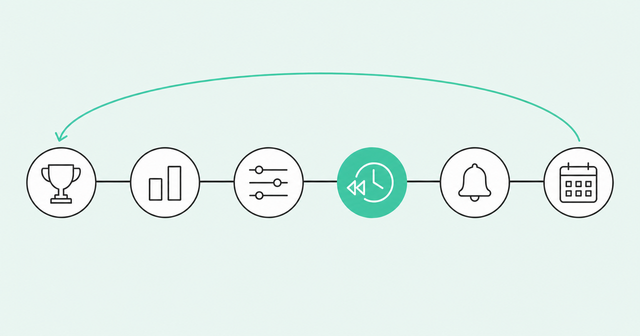
Buying the tool is the easy part. Getting reps to trust the score takes a plan.
If you're starting from scratch, learn how to build a lead scoring model before you configure anything. Then work through these six steps:
- Define fit from closed-won deals. List the traits your recent wins share. That's your ICP, built on evidence instead of opinion.
- Separate fit and engagement. Track them as two scores, so a quiet perfect-fit account and a busy grad student never look alike.
- Set weights and ranges. Decide how much each signal counts, then define what excellent, good, and fair mean for your team.
- Back-test on historical deals. Score past deals and check that wins scored higher than losses, adjusting before reps ever see a number.
- Connect scores to alerts and routing. A score nobody acts on is decoration, so send top scores to the right rep with reasons attached.
- Review the model every quarter. Compare scores against new wins and losses, then adjust any weights that drifted.
Step four is the one teams skip most often, and it's the one that earns rep trust. For a step-by-step version you can copy, use our signal-based scoring playbook.
Lead Scoring Software FAQ
Here are quick answers to common questions about lead scoring tools. Each one is short enough to paste into your evaluation doc.
What Is the Best Lead Scoring Software for B2B Sales Teams?
The best lead scoring software for B2B sales teams scores people across all buying signals, rolls scores up to accounts, and explains every change. Common Room AI scoring is built on that approach, with hover explanations and slider weights RevOps controls.
What Is the Difference Between Rule-Based and Predictive Lead Scoring?
Rule-based scoring adds points for traits and actions your team picks, while predictive scoring uses a model that learns from past won and lost deals. Rules are easy to explain but rely on guesses, and predictive models find patterns but can be hard to explain.
Is CRM-Native Lead Scoring Better Than a Standalone Platform?
CRM-native scoring is simpler to set up, but it only sees data inside the CRM. A standalone platform can score product, website, and third-party signals, as long as it syncs scores and reasons back to the CRM.
How Much Historical Data Does Predictive Lead Scoring Need?
Predictive models need enough won and lost deals to tell real patterns apart from noise, and the exact amount varies by vendor. If your history is thin, start with a rules-based or hybrid model and add predictive scoring as outcomes build up.
Should ICP Fit and Engagement Be Tracked as Separate Scores?
Yes, because separate scores show the difference between a great-fit account that's quiet and a poor-fit visitor who's very active. Reps can then handle each one differently instead of treating them as the same number.
How Often Should a Lead Scoring Model Be Audited?
Review your model at least once a quarter by comparing scores against recent wins and losses. Audit it sooner after a big change, like a new product, market, or ICP.
Score the Buyers You Already Have
Your team already has a list. What it needs is a clear view of which names deserve a call today, and why.
Pick lead scoring software that unifies your signals, resolves them to real people, and explains every score in plain language. Then your reps can skip the re-qualification call and start the real conversation.
See how Common Room turns the signals you already have into scores your reps will trust. Request a demo.