

AI made the first draft of a sales email almost free. A rep can go from a blank screen to a full message in seconds. The hard part moved to the moment right before send.
Now every outbound team asks how much editing AI drafted sales emails need before they go out. Some reps send drafts they barely read. Others rewrite every line, which takes longer than writing from scratch ever did.
Neither habit works when you're trying to keep quality steady across a whole team. This guide covers what drives editing time, what to check before sending, and how reps stay in control.
The Short Answer: How Much Editing AI Drafted Sales Emails Need
A well-briefed AI sales email should need a quick verification pass, not a rewrite. Reps check the facts, the tone, and the call to action, then send. If reps keep rewriting drafts, the problem usually sits upstream in the inputs the AI receives.
There's no rigorous public benchmark for how long editing should take. You'll find time-savings claims online, but we haven't seen one backed by solid research. So set your review standard by risk instead of by a percentage.
What does exist is expectation data, and it comes from a vendor that sells AI agents. According to Salesforce State of Sales 2026, the average seller spends 40% of their time selling. The same survey of 4,050 sales professionals found sellers expect AI agents to cut email drafting time by 36% once fully in place.
That 36% is a hope, not a measurement. It also says nothing about review time, which is where AI email drafting either earns a rep's trust or loses it.
What Drives Editing Time

Three inputs decide whether a rep verifies a draft or rewrites it.
Get them right, and review gets lighter. Get them wrong, and reps end up writing the email themselves.
Input Context
Input context is everything the AI knows before it starts writing. That covers the person, their account, and your own business.
When context is thin, the AI fills the gaps with safe, generic lines. You get "I noticed your company is growing" because the AI has nothing better to say. Reps then spend their review time adding the research the AI never had.
Using AI to write emails works best when the AI starts with what a well-prepared rep would know:
- Person: Know the prospect's role, recent activity, and likely priorities.
- Account: Know the company's size, industry, tools, and recent changes.
- Your business: Know what you sell, who it helps, and which proof points you can use.
Gathering all that by hand for every contact doesn't scale. Teams that automate account research feed those details into the draft, so reps don't rebuild prep for every name on the list.
Signal Quality
A buying signal is an action that suggests someone may be interested in buying from you. Visiting your pricing page, changing jobs, and asking a product question in a forum are all examples.
The signal gives the email its reason to exist. A real, recent, person-level signal tells the AI who did what and when. That's enough for a draft that sounds like it came from someone paying attention.
Stale or account-level data leads to a different kind of email. "Someone at your company visited our site last quarter" gives the AI nothing specific to say. So reps invent a reason to reach out, and AI-generated cold emails start sounding like everyone else's.
Here's the part most teams miss. A weak signal makes a weak draft, and no amount of editing can add a signal that was never there.
Prompt Instructions
A prompt is the set of instructions you give the AI. Strong prompts cover six things:
- Role: Tell the AI who it's writing as, such as an SDR at your company.
- Goal: Name the single outcome you want, like a 15-minute intro call.
- Length: Set a word limit so drafts stay short enough to read on a phone.
- Tone: Describe how your team sounds and list a few words to avoid.
- Dos and don'ts: Spell out the claims, phrases, and topics that are off limits.
- Examples: Include one or two strong emails your team has already sent.
When each rep tries to write email with AI using their own one-off prompts, every rep gets different results. That's how you end up hearing "it varies by rep" in every pipeline review.
Reusable templates fix that. A manager sets the template once, and reps supply the signal and the person. Our personalized AI outbound playbook shows how to build prompt templates with variables and a short description of your business.
What Reps Should Always Check Before Sending
Check each draft in priority order. Facts come first because one wrong detail can undo an otherwise strong email.
Facts
Start with the details that can be flat-out wrong. That means names, titles, company details, the signal the email mentions, product claims, and numbers.
AI writing an email can state things its source doesn't support. AI researchers call this a hallucination. A hallucination is content that sounds confident but has no support in the AI's source material.
Vectara, an AI company, runs a public test of how often models do this when summarizing long articles. Its Vectara hallucination leaderboard results show several leading models with a hallucination rate above 10%. That benchmark measures summarization, not sales email, but it shows these errors are common enough to check every time.
The check itself is simple. If the draft says the prospect "just opened a new office," find where that came from. If you can't trace it to a source, cut it.
Tone
Ask one question: Does this sound like the rep who's sending it? AI email drafting tends to default to a polished, eager voice that no real person uses.
Watch for these patterns:
- Hollow openers: Delete lines like "I hope this email finds you well."
- Extra adjectives: Remove words like "innovative" and "seamless" unless you can prove them.
- Flattery: Drop praise like "I'm so impressed by your incredible growth."
- Filler phrases: Cut warmups like "I wanted to reach out because."
Then read the draft out loud. If you'd feel awkward saying a line on a call, change it.
Call to Action
A call to action, or CTA, is the one thing you ask the reader to do. A strong AI sales email makes one clear, low-friction ask. A weak one asks for a reply, a demo, and a calendar click all at once.
The ask should fit the signal. Someone comparing plans on your pricing page might want a quick pricing walkthrough. Someone who just started a new job might want a short intro before any demo.
The CTA check is also a good moment for a compliance check. CAN-SPAM is the US law that sets rules for commercial email. The FTC CAN-SPAM compliance guide states it plainly: "The law makes no exception for business-to-business email."
Before sending, confirm these basics:
- Honest subject line: Make sure the subject line matches what the email says.
- Accurate sender details: Check that the From and Reply-To fields are correct.
- Clear purpose: Make it clear that the message is a commercial email.
- Working opt-out: Give readers a way to opt out and honor requests within 10 business days.
- Postal address: Include your company's valid physical postal address.
This list isn't legal advice. Ask your legal team to confirm the rules that apply to your outreach.
How Reps Stay in Control Before an AI Email Sends
Control starts with when the review happens. A sequence is a planned series of emails, calls, and tasks, and enrollment is the moment a contact gets added to one.
Review drafts before enrollment. After that, emails can go out on a schedule, so the pre-enrollment review is the last easy chance to catch a problem. In signal-triggered sequences in Engage, each step shows up as a prioritized action item, so review becomes part of a rep's daily list.
Next, edit by instruction instead of by hand. Rather than rewriting a paragraph, tell the AI what to change: "Cut this to 80 words and lead with the job change." Reps can iterate with an AI assistant through a few rounds of plain-language requests.
Hand rewrites carry a hidden cost we call the AI editing tax. Every minute a rep spends rewriting copy is a minute the AI was supposed to save. When the same instruction keeps coming up, add it to the team template so nobody has to type it again.
Not every email needs the same level of review. Here's the risk-tiered policy we recommend. It's our recommendation from working with outbound teams, not a research finding.
| Risk tier | When it applies | Review level |
|---|---|---|
High | New prospects, executives, and any email with factual claims about the prospect or your product | Full review of every email before it sends |
Medium | New templates, new reps, or contacts you've emailed before | Full review for the first batch, then frequent spot checks |
Low | Proven templates with stable data and a consistent segment | Spot checks on a sample of emails |
Move a template back to full review whenever something upstream changes. That includes a new prompt, a new data source, or a new segment. A segment is a group of contacts who share traits, and a template that works for IT leaders may sound odd to finance teams.
A July 2026 FTC proposed AI policy statement says "AI products and services are not exempt from section 5's long-established, and generally applicable reach." Section 5 of the FTC Act bans unfair or deceptive business practices, and this proposal covers AI companies rather than sales emails. The takeaway is modest but useful: Using AI doesn't exempt anyone from deception law, and CAN-SPAM duties still rest on the sender.
Avoiding Generic Personalization
"Hi {first_name}, I see {company} is in {industry}" is personalized in the most technical sense. Those curly-bracket fields are tokens, placeholders that fill in automatically. Every word is about the reader, and none of it gives them a reason to reply.
Relevance works differently. It connects the "why now" to the ask. The signal explains why you're writing today, and the CTA explains what you'd like to happen next.
Irrelevant outreach has a real cost. In a Gartner buyer survey on irrelevant outreach, 73% of B2B buyers said they actively avoid suppliers who send irrelevant outreach. Gartner ran the survey of 632 buyers in 2024 and published it in June 2025, and the finding covers irrelevant outreach from any source.
In our 2026 customer conversations, teams tell us email reply rates now hover around 1%, as buyers self-educate and tune out generic outreach. For practical fixes, see how to improve outbound response rates.
To personalize without sounding generic, build the email around person-level context:
- Start with the person: Use what this specific person did, not what their company looks like on paper.
- Name the why now: Mention the signal plainly, without listing every page someone viewed.
- Tie the ask to the signal: Make the CTA feel like the natural next step after what they did.
That second point matters more than it seems. "I saw you visited our pricing page four times" reads like surveillance. "Teams comparing plans often ask how pricing scales" reads like help.
This is the approach behind RoomieAI's outbound agents. They write 1:1 outbound from person-level intent and account context, with human-led review staying in the loop. The goal is fewer emails that each have a clear reason to exist.
A Simple Review Rubric for AI Drafted Sales Emails
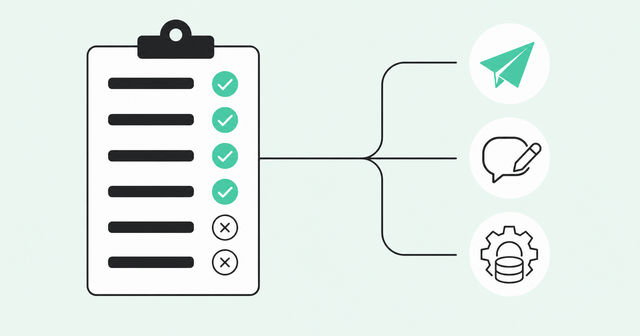
Buyers want a person who stands behind the information they get. In a Gartner survey on validating AI insights, 69% of B2B buyers said they prefer to validate AI-generated insights with sales reps. That survey looked at how buyers research with AI rather than at email, but the takeaway fits: Buyers still look to reps for accountability.
A shared rubric gives every rep the same standard for each AI draft email. Each row has one pass question. If the answer is no, the last column tells you what to fix.
| Criteria | Pass question | Fix if it fails |
|---|---|---|
Signal | Does the email mention a real, recent action by this person? | Pick a stronger signal or hold the contact for now |
Facts | Can you trace every name, title, number, and claim to a source? | Cut unsupported claims and correct the source data |
Relevance | Does the why now connect clearly to the ask? | Tell the AI to rebuild the email around the signal |
Tone | Would the rep say this out loud on a call? | Tell the AI to cut openers, flattery, and extra adjectives |
CTA | Is there one clear, low-friction ask? | Tell the AI to keep one ask that fits the signal |
Compliance | Are the subject line, sender details, opt-out, and address in order? | Fix it before send, then update the template |
Once a rep runs the rubric, the next step depends on which rows failed:
- Verify: If every row passes, give it one last read and send.
- Edit by instruction: If relevance, tone, or the CTA fails, tell the AI what to change.
- Rewrite the input: If the signal or facts fail, fix the data or the prompt before touching the email.
For managers, the rubric also works as a diagnostic tool. Track which rows fail most often across your team. Repeated fact failures point to a data problem, while repeated tone failures point to a template problem.
FAQ
How Much Manual Editing Does AI-Drafted Outbound Email Typically Need Before Sending?
A well-briefed draft should need a verification pass on facts, tone, and the CTA rather than a rewrite. No rigorous public benchmark for editing time exists, so set review depth by risk.
How Do Reps Stay in Control of AI-Generated Outbound Messaging Before It Sends?
Reps review drafts before contacts enter a sequence and make changes by giving the AI instructions. Teams use full review for high-risk emails and spot checks for proven templates.
How Do AI Outbound Agents Personalize Messages Without Sounding Generic?
They start from a real, recent, person-level buying signal and connect it to one relevant ask. Name and company tokens alone don't make an email relevant.
Is It Okay to Use AI to Draft Outbound Sales Emails?
Yes, as long as a person reviews each draft and owns what sends. If you're choosing an AI email tool, look for one that drafts from buyer signals and keeps rep review in the workflow.
Which Outbound Emails Should Never Be AI-Drafted?
Write sensitive messages yourself, like replies to complaints, pricing negotiations, and notes about hard news at the prospect's company. When the moment is personal, the rep's own words matter more than speed.
Better Inputs Mean Lighter Review
The real question isn't how much to edit. It's what goes into the AI before the draft exists.
Strong context, a real signal, and a shared template turn review into a quick check. Set your standard by risk, give reps one rubric, and fix the inputs when the same problems keep showing up.
Want to see how Common Room grounds outbound in person-level buying signals? Request a demo