
Turn your best rep's motion into your entire team's motion with Engage
How revenue teams build multichannel, multi-threaded engagement motions powered by buyer intelligence.
Overview
Sequencing tools solved sending at scale, but not who to reach, how many stakeholders, or what to say—until now, thanks to Engage:
- Buyer intelligence decides who's worth reaching out to and when
- Multi-threaded sequences reach the whole buying committee
- Email, phone, and LinkedIn run as one coordinated motion
Pipeline powered by buyer intelligence.
Request demoThe Engagement Gap
Connect rates are one challenge. They're not the only one.
According to The Bridge Group's "2025 SDR Metrics Report," about 60% of revenue organizations use a sequencing tool, yet only 35% to 45% of B2B reps consistently hit quota. Salesforce's "State of Sales, 7th Edition" (2026) found that the average team juggles 8 to 10 tools to manage outreach, follow-up, and account engagement.
The automation runs. It just runs without context.
Many tools work off a static list without knowing which contacts are in-market, what the buyer said on the last call, or whether the timing and channel are right. Reps often compensate with hours of manual research and personalization each week. That's the work the tool was supposed to handle.
And the gap extends beyond single-contact outbound. Most B2B deals involve multiple stakeholders, but many sequences target one person at a time on one channel. Inbound leads can cool off when follow-up depends on reps building sequences from scratch. Book-of-business accounts can drift when there's no systematic way to stay in front of a full book, let alone multiple contacts within it.
Adding phone and LinkedIn to email sequences can help lift response rates, but volume alone doesn't close the gap when only one person at the account is hearing from you.
Sequencing solved "how do we send at scale." It didn't solve "who should we reach, through which channels, with how many stakeholders, and what should we say." And it certainly didn't solve "when to reach out, and why."
What's Possible
The gap between your top seller and everyone else is a systems problem
Consistent execution helps teams make the most of their pipeline
Your best rep knows who to reach, what to say, and when to follow up. Others on the team may be improvising. A structured selling motion can help give every rep access to the playbook your best seller already runs, supporting more consistent execution across the team.
Outreach works better with buyer context
When a sequencing tool treats every contact the same, reps can spend time on prospects who aren't in-market or were never a real buyer.
Multi-threaded deals have more support
When a sequence targets one person at an account, the deal depends on that one relationship. Many deals involve a buying committee, and reaching the economic buyer, the technical evaluator, and the end user in a coordinated way can help move deals forward.
Multi-channel sequences can reach more buyers
Phone and LinkedIn give reps more ways to connect than email alone. When those channels live in separate tools, coordinating them gets harder.
Speed matters for inbound leads
How fast you follow up is a conversion variable. When a buyer requests a demo or downloads content, the clock starts. Manual research and sequence-building can eat the window.
Quiet accounts deserve attention, too
Active deals get attention. Quiet accounts can get overlooked. A systematic approach to book-of-business engagement can help teams spot accounts that may need re-engagement, such as when a champion changes roles or usage drops.
Connected tools create connected data
Highspot's "2025 State of Sales Enablement" found 29% of companies still operate several separate sales tools, which can make it harder to learn from what's working.
The opportunity: capture what your best rep does, run it across every channel and every relevant stakeholder, and apply it to every motion.
The Shift
What changes when your best play becomes the whole team's play
Many sequencing tools now describe themselves as "signal-driven." The difference is where the signals come from and what happens after them.
When outreach relies only on engagement signals like opens, clicks, and form fills, it can be harder to differentiate timing and relevance.
The shift is building sequences on intelligence beyond what a sequencing tool generates on its own: research intent signals for your category, champion job changes, product usage patterns that can precede expansion, and community engagement that happens before a prospect ever fills out a form.
And intelligence isn't just about who to reach. It's about how many people at the account and through which channels. The best reps don't run a single email thread to one contact. They multi-thread across the buying committee (economic buyer, technical evaluator, end user) and coordinate touches across email, phone, and LinkedIn.
That's the motion many teams want but find hard to operationalize when their tools treat contacts as isolated records.
The engagement decision loop
Whether or not you use Engage, this is the framework that separates productive engagement from scheduled noise:
- Who deserves attention?
Use signals (not just lists) to identify the accounts and contacts worth your time right now. - Why now?
Anchor every outreach to something observable: a job change, an intent signal, a product usage shift, a renewal date. - Which stakeholders?
Map the buying committee. Decide who needs to hear from you and what each role cares about. - Which channels?
Match the channel to the person. Email for initial context. Phone for urgency. LinkedIn for relationship-building. Run them in one coordinated flow. - What to say?
Personalize from the signal, not from a merge field. The buyer should know why you're reaching out today. - What did they do?
Track engagement across every channel and every stakeholder. An opened email, a returned call, a LinkedIn accept are all data points that should shape the next step. - What happens next?
The sequence adapts. If one stakeholder engages, adjust outreach to others at the account. If nobody responds, the sequence advances or exits based on rules your team sets.
For many teams, step 4 (send the email) is the easy part. Steps 1, 2, 3, and 6 typically require an intelligence layer and a calling and conversation tool that work alongside your sequences.
From blueprint to daily action
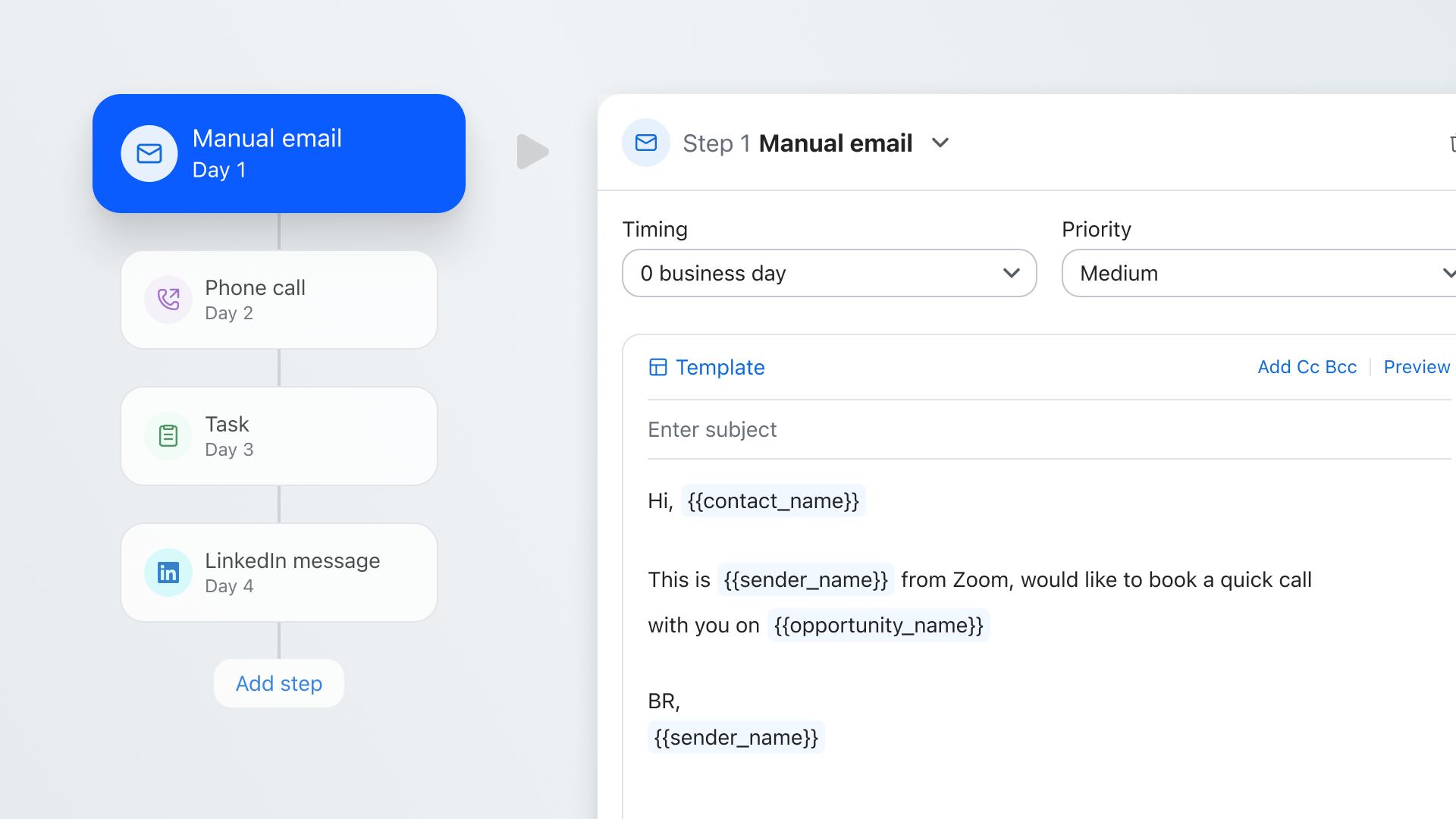
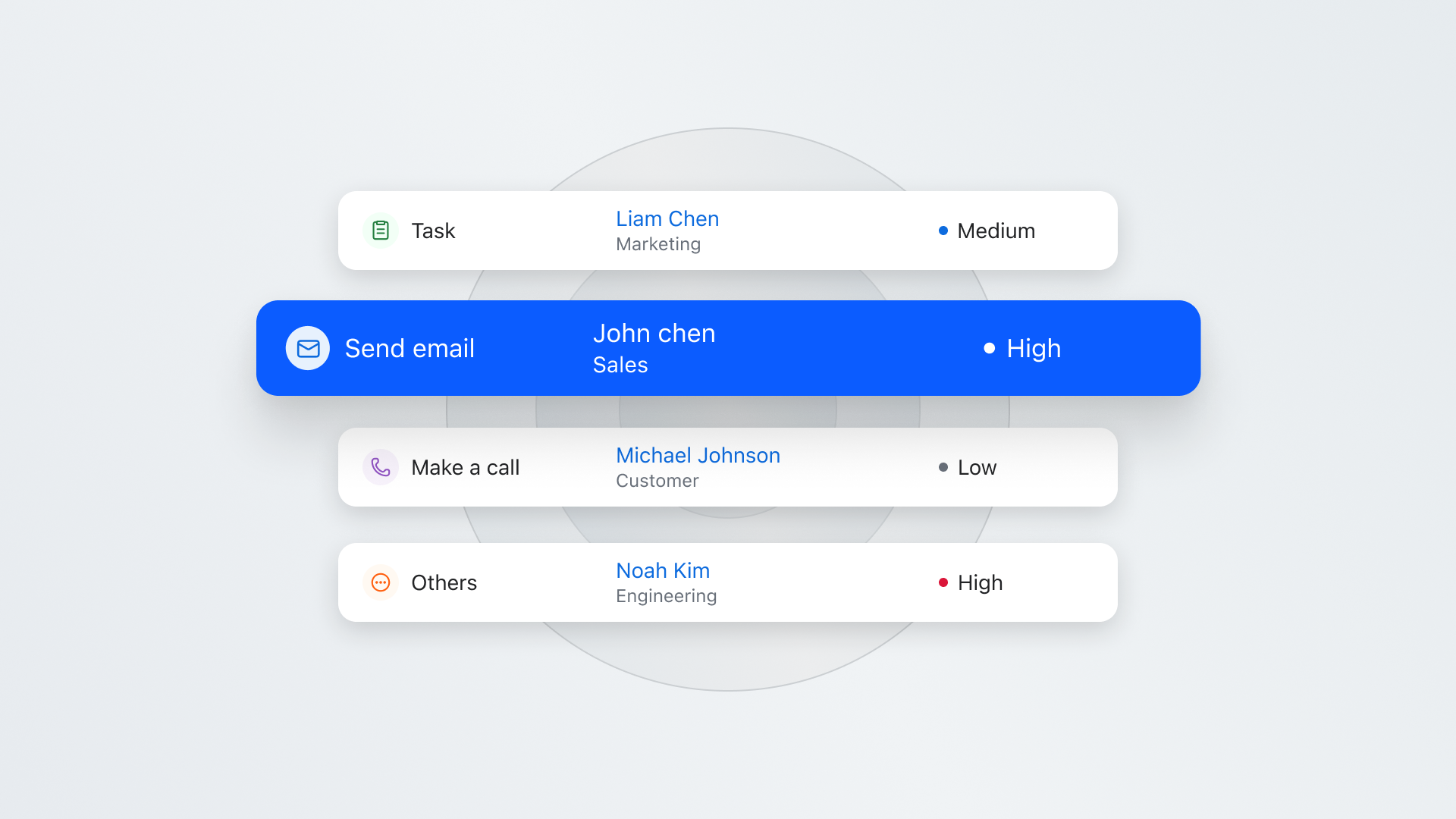
Enablement identifies the highest-converting sequence and builds it into a blueprint. Every rep inherits that blueprint as a prioritized daily action items list.
For outbound: Contacts come from your CRM, enriched and prioritized by Common Room buyer intelligence. Multiple stakeholders at the same account can be enrolled in coordinated sequences simultaneously. Emails, calls, LinkedIn connects, and LinkedIn messages run as steps in a single flow. The sequence advances according to the steps and rules your team defines.
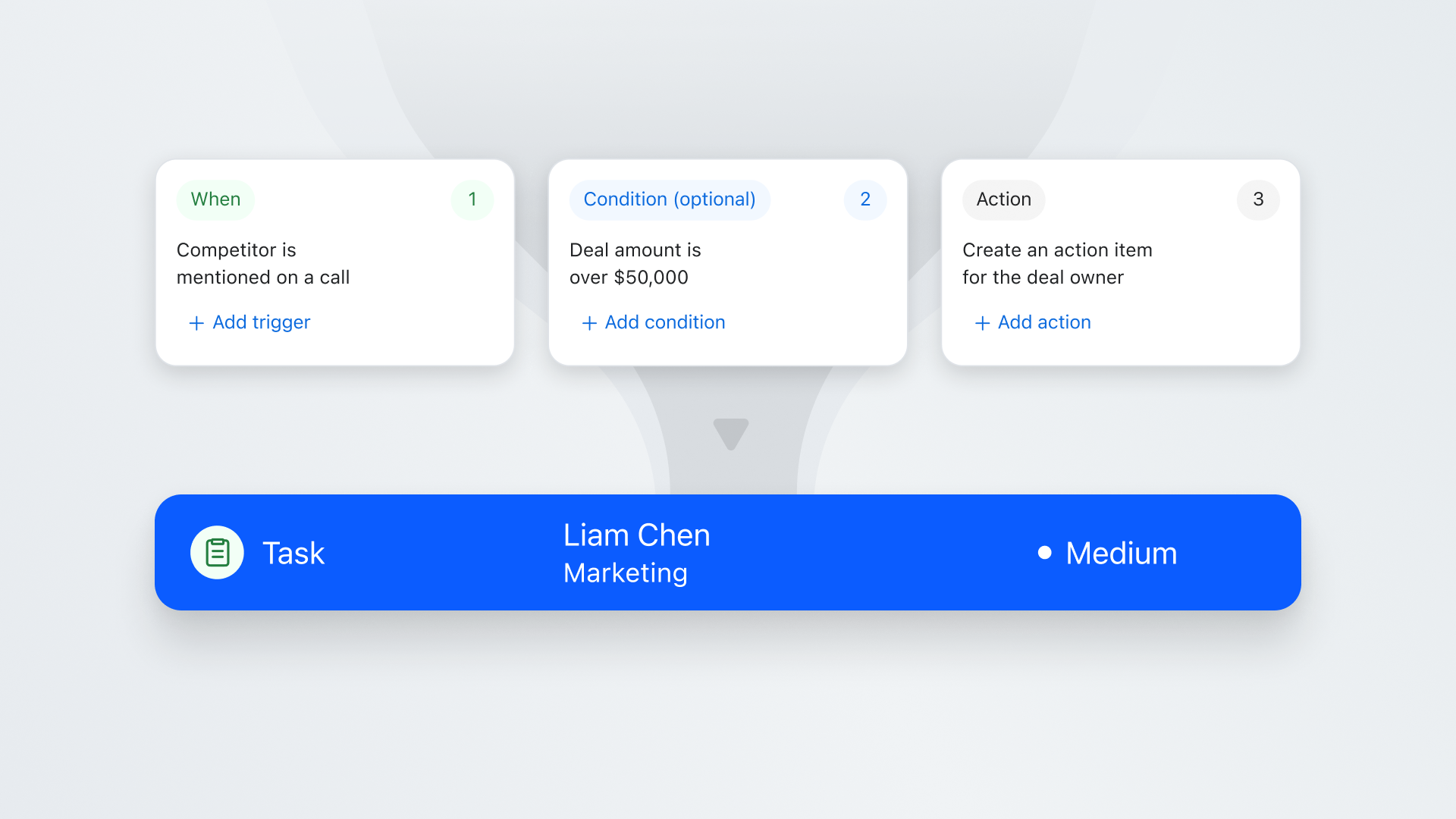
For inbound: When a buyer acts, the sequence can fire automatically, based on triggers your team configures, referencing what they did. And because Common Room brings in account context, the inbound signal can trigger outreach to other relevant stakeholders at the same company.
For book-of-business: Common Room can surface when an account needs attention (champion changed roles, usage dropped, renewal approaching). When it does, sequences can trigger automatically based on rules your team configures, not just a calendar reminder. Multiple contacts can be sequenced to re-engage the account from several angles.
Managers see which sequences convert and where the motion needs refinement. Every interaction feeds into the same place as your conversation and deal intelligence, so teams can keep refining the motion.Your top performer's engagement shouldn't be an exception.
A Buyer's Framework
Five questions before you choose a sequencing platform
- Where do its signals come from?
If the intelligence layer only captures what happens inside the tool (opens, clicks, replies), you're working with similar data to other teams using that tool. Look for signals from outside the sales funnel: product usage, community engagement, web research intent, job changes. - Can it multi-thread across an account?
Deals involve buying committees, not single contacts. The tool should let you enroll multiple stakeholders from the same account in coordinated sequences with role-specific messaging. - Does it run email, phone, and LinkedIn in one sequence?
In many point-solution setups, email lives in one tool while phone goes to a separate dialer and LinkedIn to a different platform, which recreates the fragmentation you're trying to solve. Look for sequences that include email steps, call steps, LinkedIn Connect, and LinkedIn Message in a single workflow. - Does it handle outbound, inbound, and book-of-business in one platform?
When inbound and account engagement require separate tools, teams can end up running three disconnected motions. - Do sequencing, calling, and conversation intelligence share the same data?
When outreach lives in one system and calls live in another, neither tool has the full picture. Look for a platform where what your rep sends and what your buyer says in a conversation inform each other.
Introducing Engage
Multichannel, multi-threaded engagement powered by buyer intelligence
Engage is built into Zoom Revenue Accelerator and powered by buyer intelligence from Common Room. Reps get a prioritized daily list of who to reach, how, and when, across outbound, inbound, and book-of-business engagement.
Intelligence that starts before the funnel
Common Room brings together buyer signals from sources such as web research intent, communities, product usage, and review sites. By the time a contact enters a sequence, Common Room can help show why they're worth reaching and which other stakeholders at the account are showing activity.
Multichannel in a single sequence
Each sequence combines automated and manual email steps, call steps (launching directly into Zoom Auto Dialer, where enabled), LinkedIn Connect, LinkedIn Message, and task steps. Reps don't need to switch tools to execute a multichannel motion. They work from one prioritized Action Items list.
Multi-threaded by design
Common Room helps identify which contacts at the account are worth multi-threading based on their signals (who's active, who just changed roles, who's engaging with your content), not just their title on the org chart. Multiple stakeholders can be enrolled in coordinated sequences with staggered timing, so the account receives a coherent engagement motion, not a blast. Teams can tailor messaging by stakeholder role.
Sequencing and calling on the same platform
Where Zoom Auto Dialer is enabled, call tasks launch into it without switching tools. Call tasks launch into Zoom Auto Dialer without switching tools. Call outcomes feed back into the sequence automatically. And when calls are recorded and analyzed with Zoom's conversation intelligence, what the buyer says in a call can inform the next email or the deal forecast.
Personalize at speed
Emails pre-fill with tokens for name, company, and last interaction. Ask ZRA pulls up Common Room signals and interaction history inline so reps personalize from real buyer context.
Refine what's working. Repeat it.
Sequence analytics show which sequences, steps, and intervals convert. Enablement sharpens the blueprint. Every interaction feeds back so what works this quarter can inform what gets sequenced next.
What changes day to day
Enablement builds the motion once and refines it with real data.
Reps start every day with a prioritized, multichannel, multi-threaded list built from your team's best-performing sequences. Managers coach the blueprint across the team.
And because Engage runs on the same platform as Zoom Auto Dialer, conversation intelligence, and Forecast, email, call, and reply data can feed into one shared view. What your sellers do and what your buyers say can live in one place, helping teams improve with each cycle.
See what a connected engagement motion looks like. Request a demo
We think you'd like these
Blog post
Cold Calling: The Intent-Based Approach That Actually Books Meetings
Sep 30th, 2026·15min readCold calling still works—if you stop dialing static lists and start calling prospects when real buying signals appear. This guide shows SDRs how to build...Blog post
Best AI Email Tools for Cold Email and Sales Outreach
Sep 30th, 2026·15min readIn 2026, the best AI email tools don’t just write polished cold emails—they use real buying signals to decide who to contact, when to reach out, and how to personalize at scale....Blog post
Best Website Visitor Identification Tool: How to Compare Your Options
Sep 30th, 2026·13min readMost visitor identification tools stop at telling you which company visited your site, but this guide explains why the best options identify actual people,...