
Know who and why to call, then close the deal with Zoom Auto Dialer
Many SDR teams dial without a clear picture of who they're targeting or how their numbers land. Zoom Auto Dialer is built to help with both.
Overview
Connect rates stay low for most teams, and shared number pools and static lists make it worse—until now, thanks to Zoom Auto Dialer:
- Dedicated numbers protect your reputation with carriers
- Cascading dialing paces calls to avoid spam flags and dead air
- Buyer intelligence ranks the list so reps call the right people first
- OVERVIEW
- THE OUTBOUND REALITY
- WHERE OUTBOUND GETS HARDER
- THE SHIFT
- A BUYER'S FRAMEWORK
- INTRODUCING ZOOM AUTO DIALER
Pipeline powered by buyer intelligence.
Request demoThe Outbound Reality
100 dials. 5 conversations. There's a better way to spend a call block.
Your team has call blocks. They're disciplined. They dial manually. By the end of the session, many of them may have connected with only a handful of people.
That's because connect rates remain stubbornly low for many sales teams. HubSpot's 2025 State of Cold Calling survey found that nearly 40% of reps who cold call daily land in the 5% to 10% response range, and only a fraction consistently break above 20%. For every 100 dials, most can end in ringing, voicemails, wrong numbers, or the admin that follows each attempt.
Dialing method matters, too. Parallel dialing calls three, four, or five prospects at the same time for a single rep. When someone picks up, the others can hear a brief silence and then a hang-up. Those abandoned calls can generate complaints, and numbers can get flagged as carrier analytics engines notice the pattern.
Some dialing platforms also share phone number pools across customers. When they do, one customer's calling behavior can affect number reputation for others.
Carriers are paying closer attention. Passing caller ID authentication doesn't guarantee people will pick up. Carriers and analytics providers can weigh signals such as how often calls go unanswered, how many people report them as spam, and whether calling patterns look suspicious.
And people are cautious: TNS's 2025 "Branded Calling Survey" found that 72% of people don't answer calls from numbers they don't recognize. Meanwhile, Salesforce's "2026 State of Sales, 7th Edition" found that reps still spend 60% of their time on non-selling tasks, such as logging calls, updating CRMs, scheduling follow-ups, and toggling between tools.
When connect rates stay low, the remaining selling time can produce less pipeline per hour.
Effort isn't the issue. Many teams get stuck in a loop: more dials that connect less often, made by reps who spend much of their day on admin. Something structural has to change.
Where Outbound Gets Harder
Connect rates are one challenge. They're not the only one.
Number reputation depends on who shares your numbers
Bandwidth's Number Reputation Management overview notes that carriers and third-party analytics providers such as Hiya, First Orion, and TNS apply spam labels at the individual number level.
When a platform pools numbers across customers, one tenant's calling behavior can affect a number for everyone who shares it. Rotating to a new number from the pool may not solve the underlying issue.
Unlike the pooled-number approach some dialing platforms use, dedicated numbers managed within your own telephony infrastructure let your team manage its own number reputation.
A static list can send reps to the wrong people
A list pulled from the CRM treats every name the same. The prospect who visited your pricing page yesterday can sit next to one who left the company six months ago, and the rep finds out which is which one dial at a time.
SDR retention is a challenge
The Bridge Group's "2025 SDR Models, Motions & Metrics" report puts SDR attrition at 40% annually, with a median tenure of 1.9 years. Long stretches without live conversations can make the role harder, and turnover brings recruiting, onboarding, and ramp time.
Coaching works better in real time
When call recordings live in a different system than the dialer, managers may catch problems only after they've shaped outcomes. Objection-handling gaps and messaging drift can take a while to surface.
Unlogged calls leave gaps in CRM data
Across a team of 10 to 20 reps over a quarter, those gaps can add up to forecasts and territory plans built on incomplete information.
Fragmented tools add friction
Freshworks' 2025 "Cost of Complexity" report found that employees lose nearly seven hours per week dealing with fragmented tools and processes. For SDRs, switching systems mid-call pulls attention away from the prospect. Many of these challenges trace back to the same issue: the list, the call, and the buyer context live in different places, and the dialing infrastructure isn't built around your numbers.
The Shift
How you dial (and who you dial) shapes your pipeline
Many dialer conversations start and end with speed: how many prospects can you reach per hour? That's the wrong question.
The right question is: how many of those prospects actually pick up, have a conversation worth having, and move your pipeline forward?
That distinction drives everything that follows.
Three ways to auto-dial, and they're not interchangeable
Parallel dialing calls multiple prospects at once for a single rep.
The first person to answer gets connected, and everyone else can hear silence, then a hang-up. That can mean more dials per hour, but it can also bring abandoned calls, consumer complaints, and phone numbers flagged as spam. Carriers and analytics providers apply those spam labels at the individual number level, according to Bandwidth's Number Reputation Management overview.
Power dialing calls one prospect at a time in rapid succession with no delay.
It's faster than manual dialing, but high-velocity dialing from the same number can still trigger pattern-based spam detection.
Cascading dialing calls prospects sequentially with a deliberate, slight delay between each dial.
That delay is a design choice. It's intended to keep calling patterns closer to legitimate outreach, help avoid abandoned calls and silence on connect, and help protect the long-term reputation of your phone numbers.
Why your dialing approach matters more than speed
When teams share numbers, pools, and parallel infrastructure, connect rates can degrade for everyone involved. Because spam labels attach to individual numbers, one tenant's calling behavior can affect every customer who shares that number.
The answer isn't more dials. It's a different approach to how numbers are provisioned, how calls are placed, and how calling behavior aligns with carrier expectations.
A dialer should work with your telephony, not against it.
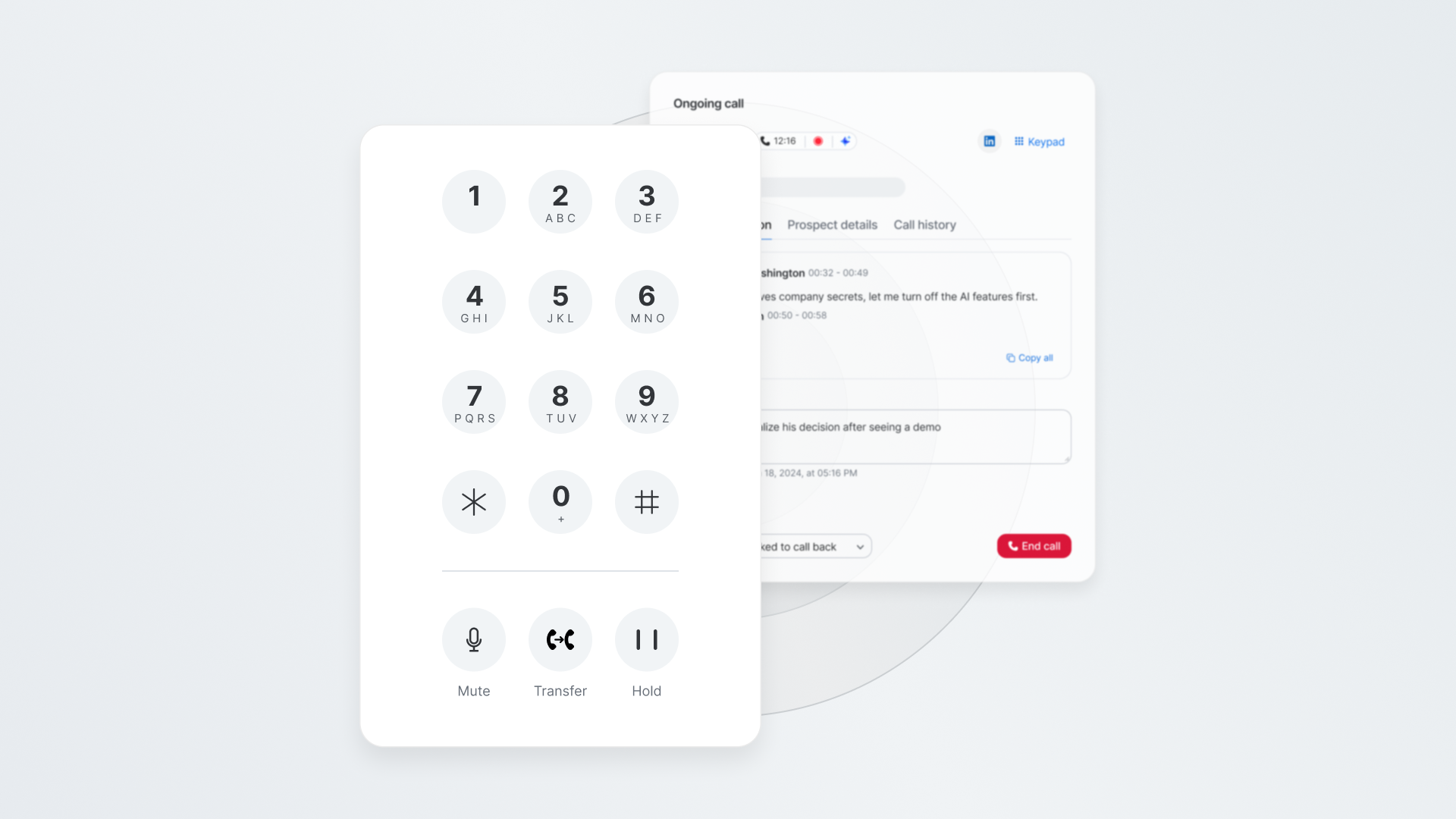
When the dialer is built natively into your phone system, your numbers are dedicated to your organization, and your calling patterns are visible and manageable. Local dial matches the prospect's area code from your own number pool. And cascading is designed so that when someone picks up, they hear a person rather than silence.
The right approach still needs buyer intelligence
Even the right dialing approach can underperform if it doesn't know who to call.
That's where the context layer comes in. Instead of a static list, reps can work one prioritized by buyer intelligence signals such as intent, job changes, and brand engagement. Call outcomes feed back into that context, so each session's list can reflect what the team learned in the last one.
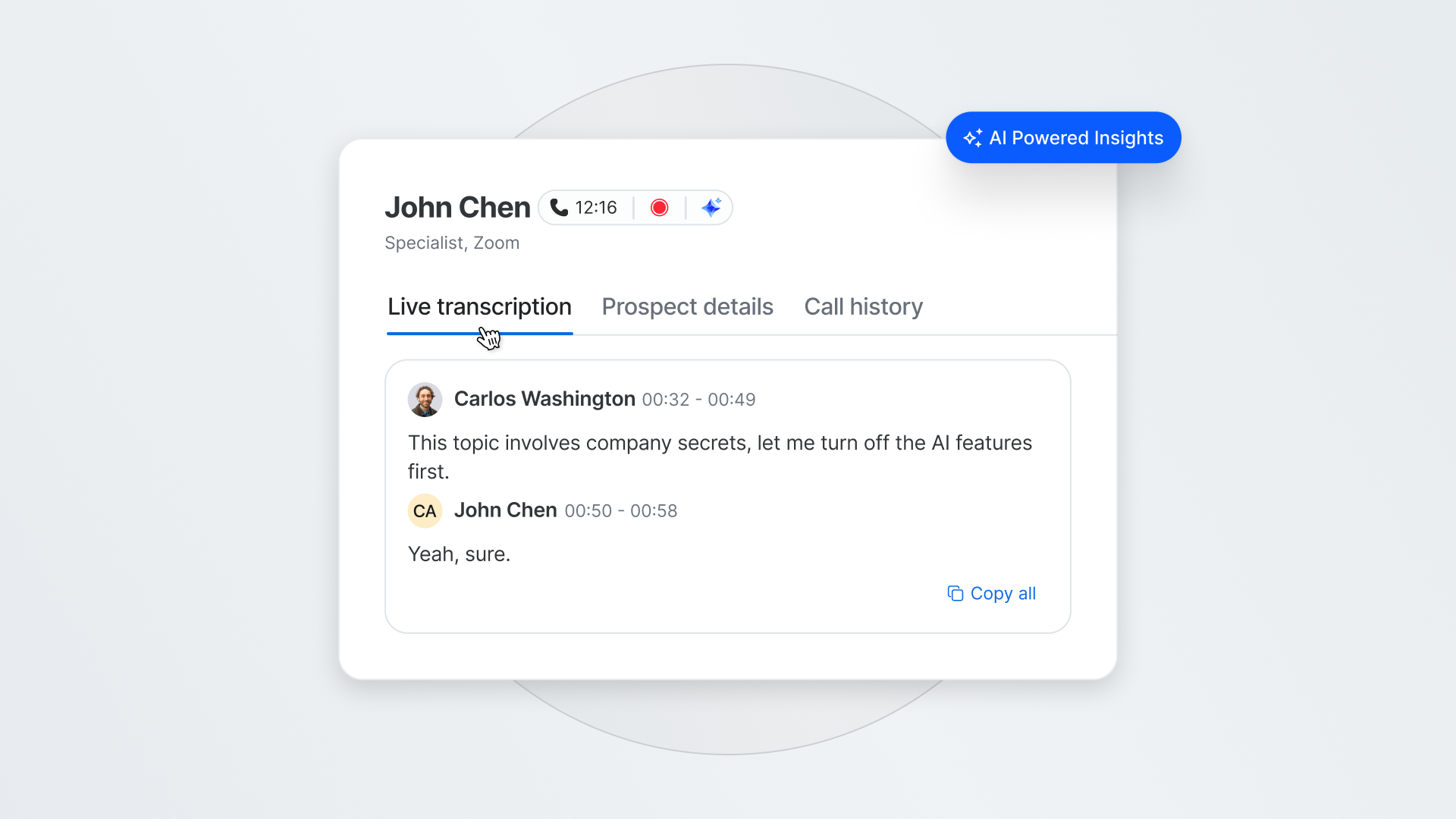
When transcription is enabled, a live transcript helps reps stay focused on the prospect during the call. When the conversation points toward a next step, the rep can book it from inside the call. After it ends, call details can write back to the CRM based on your team's settings, and the rep moves on to the next dial.
For managers, it means tracking conversations and bookings as they happen, coaching from real transcripts, and working from pipeline data captured as part of the call workflow.
This is what changes when you combine the right dialing methodology with the right intelligence. You're not just calling faster. You're calling the right people, from the right numbers, with the right context.
A Buyer's Framework
Six questions before you buy a dialer
- Does it know who to call?
Some dialers work whatever list you hand them. Look for one that prioritizes prospects on live buyer signals, so the best hours of every session go to the people most likely to engage. - How does it actually dial, and what are the tradeoffs?
Ask whether the platform uses parallel, power, or cascading dialing. Parallel dialing can maximize volume, but it can also create abandoned calls, strain number reputation, and degrade the prospect experience.
Cascading dialing is designed to help preserve your numbers while keeping sessions productive. The methodology choice compounds over time. Calling patterns that look productive early can erode number reputation as carrier analytics gather signal across repeated dials. - Who manages the phone numbers?
If the platform pools phone numbers across its customer base, your connect rates can depend on how other companies use those numbers. A dialer built on your own telephony infrastructure keeps your numbers dedicated to your organization. - Where does it live?
If reps leave their primary interface to dial, you've added friction. The dialer should be native to the phone and CRM system your team already uses. - What happens after the call?
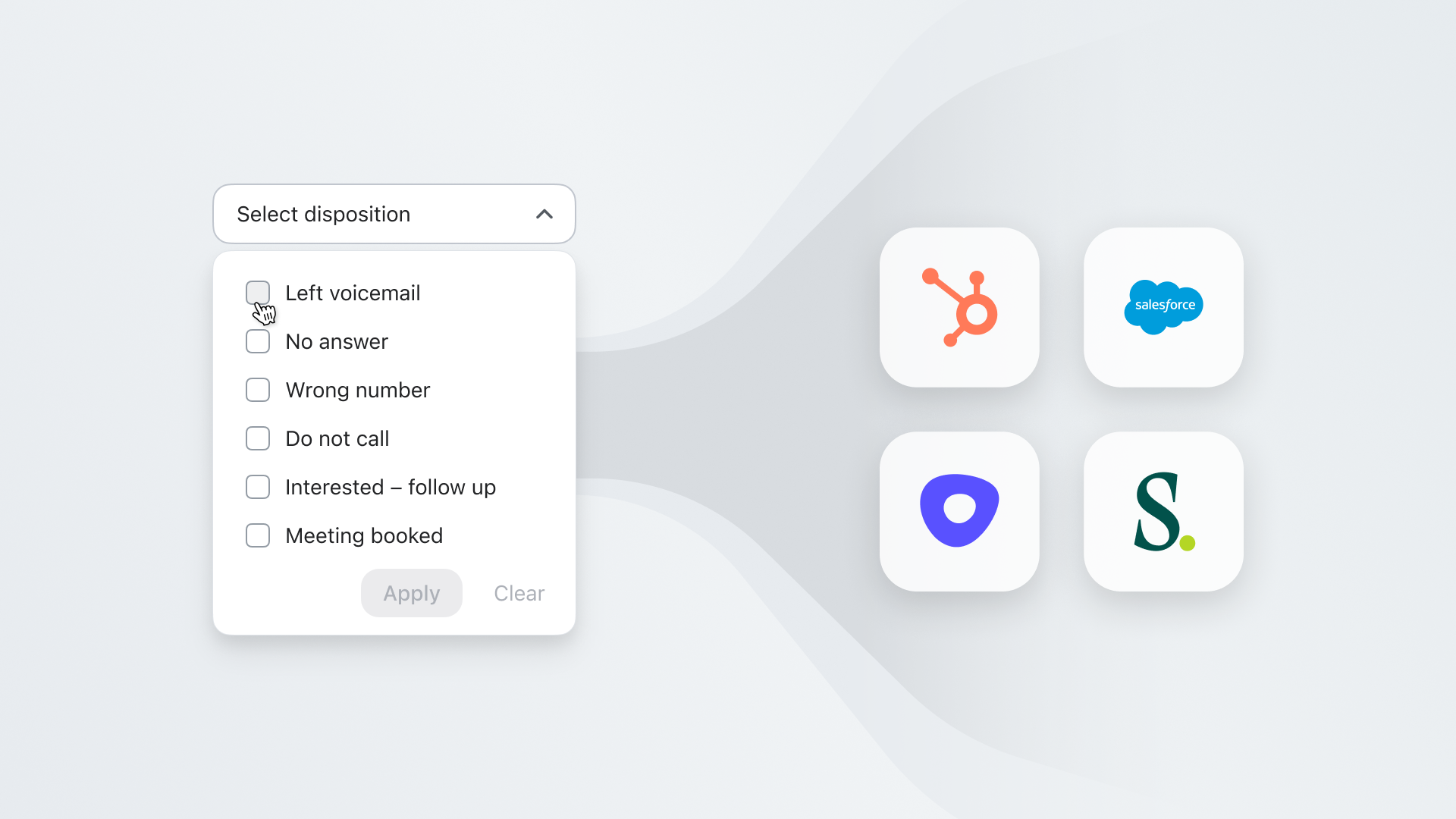
Look for automation beyond dialing: logging, disposition, CRM updates, and scheduling. Post-call administrative work can take significant rep time, and any outcome that doesn't write back to the CRM becomes a data gap in your forecast, pipeline reporting, and territory plans. - Can managers coach from it?
If reviewing calls requires a separate tool, managers won't review enough of them. Transcription, scoring, and a searchable call library should live where the calls happen.
Introducing Zoom Auto Dialer
The dialer built around your buyer and your numbers
Zoom Auto Dialer is built directly into Zoom Phone and Zoom Revenue Accelerator and works with Engage, the sequencing and action layer that turns outbound into a structured, repeatable motion.
Common Room's buyer intelligence adds context by bringing together signals such as intent, job changes, and brand engagement. Reps stay where their calendar, email, call history, and CRM data already live, with integrations for Salesforce, HubSpot, Outreach, and Salesloft. Feature and integration availability varies by plan.
Because Zoom Auto Dialer runs on Zoom Phone, your phone numbers are dedicated to your organization, not pooled across a platform's customer base or rotated because of another company's calling behavior. Your team manages its own number reputation.
Dial smarter, not just faster
Cascading dialing works your contact list sequentially, with deliberate pacing designed to keep calling patterns consistent with legitimate outreach. Local dial matches the prospect's area code from your own number pool. Reps can drop pre-recorded voicemails on unanswered calls.
The goal: a prospect experience that builds trust and a number reputation that holds up over time.
Start every session with the right list
When Common Room's buyer intelligence powers the list, reps can dial prospects ranked by engagement and intent signals, not a static CRM export pulled days ago.
Keep reps focused on the prospect, not the process
When transcription is enabled, calls are transcribed live, and AI summaries and draft follow-up emails are ready for rep review when the call ends. Ask ZRA lets reps and managers pull up transcripts, deal context, and account history in natural language, mid-call or during prep.
Book meetings while the conversation is warm
In-call and post-call scheduling lets reps put the next step on the calendar before they hang up. Disposition, call notes, and AI summaries can write back to the CRM automatically based on your team's settings. Your team's settings control what writes back to the CRM. Once configured, disposition, call notes, and AI summaries can sync automatically, so reps can skip manual logging while staying in control of what gets captured.
Keep managers in the loop after the call
A searchable call library, automated scorecards, and disposition logging give managers visibility across calls, not just the ones they shadow. Call outcomes also feed the shared context, which is designed to support ongoing improvement in targeting and coaching.
What changes day to day
SDR leaders may find it easier to coach from real transcripts and automated scores, with less reliance on recall or shadowing. Reps may spend more of each session in live conversations and less time on admin between calls.
Cascading dialing is designed to help protect number reputation. RevOps can consolidate dialing into the phone system the team already uses, with call data flowing back to the CRM.
Zoom Auto Dialer is built to help outbound teams call the right people, from their own numbers, with the right context.
See what your team's outbound could look like. Request a demo
We think you'd like these
Blog post
Cold Calling: The Intent-Based Approach That Actually Books Meetings
Sep 30th, 2026·15min readCold calling still works—if you stop dialing static lists and start calling prospects when real buying signals appear. This guide shows SDRs how to build...Blog post
Best AI Email Tools for Cold Email and Sales Outreach
Sep 30th, 2026·15min readIn 2026, the best AI email tools don’t just write polished cold emails—they use real buying signals to decide who to contact, when to reach out, and how to personalize at scale....Blog post
Best Website Visitor Identification Tool: How to Compare Your Options
Sep 30th, 2026·13min readMost visitor identification tools stop at telling you which company visited your site, but this guide explains why the best options identify actual people,...