
"Our CRM data is a mess." We hear some version of that sentence on nearly every customer implementation call. It usually builds up over years of form fills, integrations, and job changes nobody had time to sort out.
This CRM data hygiene checklist walks you through the fix in order. You'll audit your data, deduplicate it, refresh stale contacts, block new duplicates, and keep the work running on a schedule. Treat it as part of your revenue workflow, right next to routing and forecasting.
Why Duplicate and Stale Records Hurt Pipeline
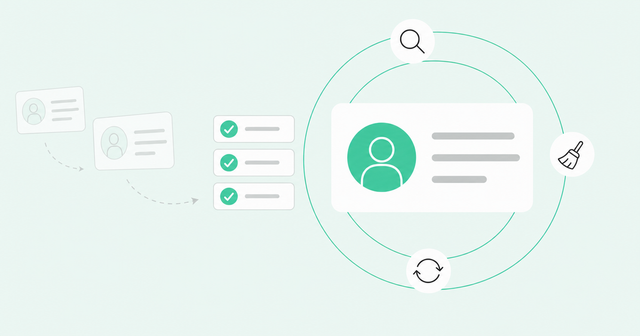
To fix duplicate and stale CRM records, start with an audit of your current data. Next, merge duplicates using clear matching, survivorship, and ownership rules. Then refresh stale contacts, block new duplicates at the source, and repeat the work on a set cadence.
Left alone, bad records split ownership, break lead routing, cause bounced emails, and skew forecasts. Poor data quality costs at least $12.9 million per organization a year on average, according to Gartner data quality research from 2020. That's a cross-industry figure, not a CRM-specific one, but it shows why hygiene deserves a revenue team's attention.
Where Duplicates Come From

A duplicate record is two or more CRM entries for the same person or company. Most duplicates don't come from careless reps. They come from systems that each think they're creating someone new.
Take Kevin, a hypothetical buyer. He signs up for your webinar with his Gmail address, and a month later he downloads a guide with his work email. Then an SDR adds him by hand from LinkedIn as "Kev Smith," and now your CRM holds three Kevins who don't know about each other.
Here's where most duplicate leads start:
- Form fills: Each form submission creates a new lead when the email doesn't match an existing record.
- List imports: Event and purchased lists often go into the CRM without a search for existing records.
- Conflicting integrations: Your marketing automation, enrichment, and support tools may each use a different field to decide what's unique.
- Personal and work emails: One person appears twice after using a personal address in one place and a work address in another.
- Migrations: A move from one CRM to another can copy old duplicates over and create new ones.
- Lead conversion: Reps convert a lead into a new contact when a matching contact already exists.
Validity's analysis of CRM records found that 81% of records required improvement and 47% of lead and contact emails were invalid or risky. The 81% comes from a basic check covering duplicates, missing critical fields, and invalid data at organizations without a data management tool. Both figures are vendor data, and the 47% comes from emails Validity surveyed.
Why Records Go Stale
A stale record is one that used to be accurate but no longer matches reality. The contact still sits in your CRM, but the person behind it has moved on. Stale CRM data is hard to spot because nothing looks broken.
People change jobs, earn new titles, and switch companies. BLS employee tenure data shows 20.6% of wage and salary workers had a year or less of tenure with their current employer in January 2026. That's a tenure figure and not a contact decay rate, but it shows how many people are new to their employer at any moment.
Enrichment adds a second problem. Enrichment is the process of filling in missing fields from outside data sources, and each pass is a snapshot that starts aging the next day. For a deeper look at the causes, read about how CRM data decays.
Step 1: Audit Your CRM Before You Touch Anything
Don't merge anything yet. An audit is a structured review that shows where your data problems live and how big they are. It also gives you a baseline, so you can prove progress later.
Use this table as your CRM data cleanup audit:
| Audit Item | What to Check | Why It Matters |
|---|---|---|
Matching rules | Which rules are active for leads, contacts, and accounts | Gaps show where duplicates slip in |
Critical field completeness | Share of records with email, company, title, and owner filled in | Empty fields break routing and scoring |
Last activity date | Records with no activity in the past 12 months | Inactive records are the likeliest to be stale |
"Unknown Company" contacts | Contacts with no linked account | They never reach an account owner |
Integration users | Which connected apps have permission to create records | Each one can create duplicates on its own |
Invalid and bounced emails | Hard bounces and unverified addresses | They hurt sender reputation and waste rep time |
Pay extra attention to integration users. An integration user is the account a connected app uses to write data into your CRM. If five apps can create contacts, you have five separate ways for duplicates to get in.
Write down each number. You'll compare against this baseline in every cadence review.
Step 2: Deduplicate With Clear Rules
Deduplication, or dedupe, means finding duplicate records and merging them into one. Every lead dedupe project comes down to three decisions: what counts as a match, which record survives, and who owns it.
Write all three decisions down before you merge a single record. Merges are hard to undo, and a written policy keeps you from cleaning the same mess twice.
Set Matching Rules vs. Duplicate Rules
If you manage duplicate records in Salesforce, you'll work with two separate tools. A matching rule is the comparison logic that decides whether two records look like the same person. A duplicate rule is the action Salesforce takes on a match, such as warning the user, blocking the save, or logging a report.
Salesforce's duplicate management documentation covers how to set up both. Build your matching rules on structural fields, meaning fields that systems generate or validate, like email address and website domain. Typed fields like name and job title vary too much, since "Kev Smith" and "Kevin Smith" won't match on name.
Field matching still has a ceiling. It can't connect Kevin's Gmail signup to his work record, because those two records share no field values. Identity resolution closes that gap by linking incomplete identifiers, like a personal email or an anonymous website visit, to one known person.
Define Survivorship Rules

Survivorship rules decide which record wins when you merge duplicates. The winning record keeps its ID, and the others fold into it. Pick one default rule:
- Most recent engagement wins: The record with the latest activity survives, since reps are most likely working it.
- Oldest record wins: The original record survives, which keeps attribution and created dates intact.
- Most complete record wins: The record with the most filled-in critical fields survives.
Next, set field-level overrides. A field-level override pulls one value, like the newest phone number, from a losing record into the winner. Always confirm that activity history, including emails, calls, and meetings, carries over to the surviving record.
Test your merges in small batches of 50 or 100 records first. Most CRMs don't offer an easy undo, so a bad rule can spread across thousands of records before anyone notices.
Resolve Ownership Conflicts
Two duplicates often have two different owners. Decide owner rules before you merge, or you'll end up refereeing territory debates in the middle of a quarter.
Common options include "account owner wins" and "most recent activity wins." Whichever you choose, tell affected reps before the merge runs. Reps trust a CRM that doesn't quietly reassign their deals.
Ownership gets easier once records connect to the right accounts. Look at how incident.io cut duplicates: it reduced account duplicates by 70% across more than 140,000 accounts. The team also matched 3,700 of 19,000 "Unknown Company" contacts to real accounts.
Step 3: Refresh Stale Contacts
Stale records look valid until outreach fails. The email address has the right format, and the title still sounds senior. Then the email bounces, or someone replies that the person no longer works there.
Refreshing contacts means finding those records and updating them before your reps or sequences reach them. Start with the three fixes below.
Catch Job Changes
A job change is a hygiene task and a buying signal at the same time. Flag any contact whose title or company changed since your last check.
When someone moves companies, update the old record to show they've left. Create a new contact at the new company, and link the two records so you keep the relationship history.
Don't skip that second half. A former champion at a new company already knows your product, which makes the new record one of the warmest in your CRM.
Clean Up Bounced and Risky Emails
A hard bounce is an email that fails permanently because the address doesn't exist. Suppress hard bounces right away so no sequence sends to them again.
Risky emails need a check before they enter a sequence. As the Validity data above shows, a big share of CRM emails may not be reliable. Run those addresses through email verification first, and you'll protect your sender reputation in the process.
Re-Enrich on Triggers, Not Just Schedules
Scheduled re-enrichment, like a quarterly refresh, keeps older records from drifting too far. Trigger-based enrichment fills in data the moment something happens, like a new form fill or a job change alert. Use both, and read our guide to automating enrichment triggers to set them up.
Resolve identity before you enrich. If Kevin still lives in three records, you'll pay to enrich him three times and get three slightly different answers.
The same goes for an enrichment waterfall, which checks several data providers in order until one returns a match. Run it on unresolved identity, and it multiplies the duplicate problem.
Step 4: Keep AI Prospecting Agents Off Stale Data
An AI prospecting agent is software that researches, prioritizes, or contacts buyers on its own. Agents act on whatever data they have, and they act with confidence. A human rep might pause at a strange title, but an agent will send the email.
Sales teams already feel this. According to the Salesforce State of Sales report, 46% of sales pros with agents say data quality issues hurt their sales. In its Gartner AI-ready data prediction, Gartner predicted that through 2026, organizations will abandon 60% of AI projects unsupported by AI-ready data.
Before you scale any agent, put three guardrails in place:
- Give agents one identity layer: Point agents at unified, deduplicated person records instead of raw CRM tables.
- Check freshness before action: Require a recent verification date on title, company, and email before an agent sends anything.
- Block low-confidence enrichments: Stop agents from acting on enrichment matches that fall below your confidence threshold.
One wrong match can spread to every downstream tool, which is why mismatched identities snowball in automated workflows.
That's where identity resolution with Person360 fits. Person360, Common Room's identity resolution engine, links incomplete identifiers like personal email signups and anonymous website activity to one person. It cuts duplicate records by up to 79%, so your agents work from one Kevin instead of three.
Step 5: Prevent Duplicates From Coming Back
Cleanup without prevention means you'll repeat this project next year. Close off the paths duplicates use to get in.
Start with upserts. An upsert updates a record if it already exists and creates one only if it doesn't. Configure integrations to upsert on a stable external ID, like a customer ID from your billing system.
Next, let one system create each object type, and let every other tool update only. Then remove create access from any integration user in your audit that doesn't need it.
Finally, normalize every import by standardizing email case, domains, and phone formats. Then configure your tools to show existing matches before anyone saves a new record.
Your Ongoing CRM Data Hygiene Cadence
CRM data hygiene works like laundry: one giant yearly load won't stop the pile from growing the next morning. Jacki Leahy, a fractional RevOps leader, put it plainly. "You will never be done," she said.
Her approach shows continuous data trust in practice, with small tasks on a steady rhythm. Use this cadence as your recurring checklist:
| Cadence | Tasks | Metric to Track |
|---|---|---|
Weekly | Review new duplicate alerts, suppress hard bounces, and check job change flags | New duplicates created this week |
Monthly | Merge queued duplicates, verify risky emails, and review "Unknown Company" contacts | New duplicates per month |
Quarterly | Audit matching rules and integration permissions, re-enrich older records, and retest survivorship rules | Completeness of critical fields |
Measure new duplicates per month alongside your total count. The total shows how big the backlog is. The monthly number shows whether your prevention work is holding.
The end state is continuous monitoring instead of quarterly cleanup sprints. That's the idea behind continuous CRM data integrity with DataAgent. It surfaces duplicate and outdated Salesforce contacts by comparing your records against Common Room's real-time identity data.
From there, your team can bulk-select records and run merge or update workflows, with review settings you control. An activity log tracks each change, so you can always audit what DataAgent changed.
Frequently Asked Questions
These quick answers cover the questions RevOps teams ask most about CRM cleanup.
How Do I Fix Duplicate and Stale CRM Records?
Audit your data first, then merge duplicates with written matching, survivorship, and ownership rules. After that, refresh stale contacts, block duplicates at the source, and repeat the work on a weekly, monthly, and quarterly cadence.
How Do AI Prospecting Agents Avoid Relying on Stale CRM Data?
Agents avoid stale data when they read from a unified, deduplicated identity layer and check a freshness date before acting. They also shouldn't act on low-confidence enrichment matches.
How Do You Unify Enrichment and Identity Data for Accurate Outreach?
Resolve identity first so every identifier points to one person, then enrich that single record. This order keeps you from enriching duplicates and ties outreach to the right buyer and account.
What's the Difference Between a Matching Rule and a Duplicate Rule?
A matching rule defines how the CRM compares records to spot a likely duplicate. A duplicate rule defines what happens next, such as warning the user, blocking the save, or reporting the match.
Should You Block or Warn on Duplicates?
Block duplicates from integrations and imports where matches are clear, and warn reps during manual entry, where they may need context. Start with warnings, then switch to blocking once your reports show your matching rules are accurate.
How Often Should You Clean CRM Data?
Run light checks weekly, merge and verify monthly, and audit rules and permissions quarterly. Aim for continuous monitoring, because new duplicates and stale contacts appear every day.
Put Your CRM Data Hygiene Checklist to Work
Start with the audit, write down your rules, and pick a cadence your team can keep. When you're ready to keep your CRM aligned with reality without starting over every quarter, request a demo.